VPN Hotspot Shield: Proxy VPN
- 4.5
- Rating
- 100.00M
- Installs
- Free
- Price

 Analysis by App-foxy
I use a VPN mainly when I am on unfamiliar Wi-Fi, travelling, or trying to keep my connection more private on shared networks. In that role, VPN Hotspot Shield: Proxy VPN is easy to understand: it is a free tools app from Anchorfree LLC that puts a virtual private network connection behind a simple mobile interface. I found it approachable enough for someone who does not want to learn networking terminology before protecting a phone or tablet.
The app has also reached a very large audience, with an average rating of 4.5 from around 1.6 million ratings and over 100 million installs. That scale matters because it suggests this is not an obscure utility that disappears after one update. At the same time, popularity should not be confused with being the perfect VPN for every situation. My experience is that its strongest appeal is convenience, while users who want deep technical control may eventually find the experience too simplified.
How the current app feels in everyday use
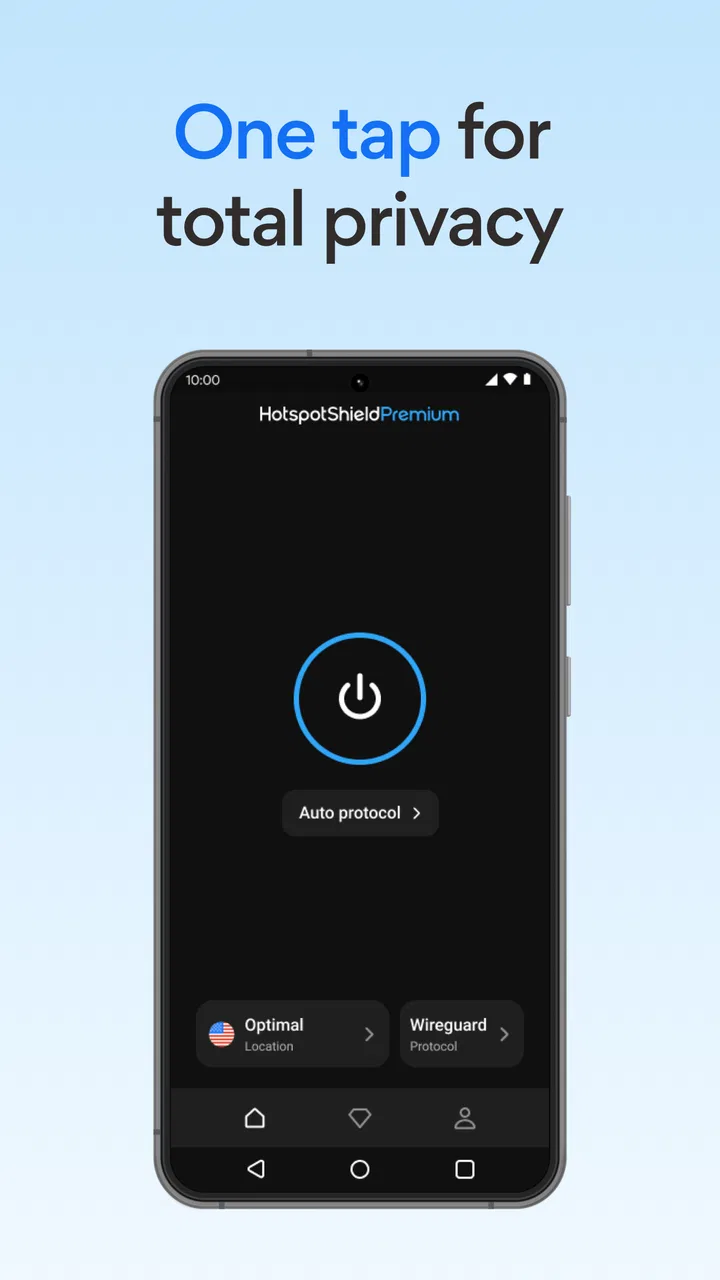
The basic workflow is refreshingly direct. I open the app, look for the connection control, and use the VPN when I need it rather than working through a complicated setup. That makes it practical for a quick coffee-shop session, a hotel network, or a short period on airport Wi-Fi. The free entry point also makes it possible to test the service before deciding whether its broader paid options are worthwhile.
You May Also Like

 Blood Strike: 2.5 Anniversary
Blood Strike’s Loadouts Turn Every Drop Into a Tactical Gamble
A close look at Blood Strike’s custom loadouts: how fast access to signature weapons reshapes its battle royale rhythm, rewards preparation, and narrows the gap between fights.

 Pandora - Music & Podcasts
Pandora’s Music Is Easy to Start, but Harder to Recover
Pandora’s strength is its low-effort path from a seed to a station. Its weak spot is how much confidence it asks you to place in connection, setup, and quiet recovery.

 8 Ball Pool
 Is Built on Rivalries, Rematches, and Routine
A close look at the rivalries, rematches, shared routines, and unanswered safety questions that turn a quick pool match into a persistent mobile community.

 Samsung Music
’s Quiet Strength Is Playing What You Already Own
Its reach comes less from spectacle than from dependable access to a personal library. That simplicity is both the app’s strongest retention engine and its ceiling.

 AccuWeather: Weather Radar
AccuWeather Review: A Quick, Clear Forecast for Everyday Decisions
For everyday plans, the best forecast is the one you can understand quickly. AccuWeather makes rain timing, radar, and local conditions easy to act on, with a few trade-offs.

 Hill Climb Racing
Why Hill Climb Racing Still Turns Crashes Into One More Run
A tiny car, a bumpy hill and one more upgrade: Hill Climb Racing keeps resurfacing because its simple chaos makes every near-miss feel personal.
More From Our News Desk
View All News


A realistic example is checking email and paying a bill from a shared network while travelling. I would connect before opening those services, keep the VPN active during the session, and disconnect afterward if I wanted to conserve battery or avoid routing everything through the service. This is not a replacement for careful passwords, device updates, and two-factor authentication, but it adds a useful privacy layer when the network itself is not under my control.
The store summary presents access to more than 1,800 secure virtual servers and claims speeds up to 2.2 times faster. I treat those statements as a description of the service’s intended offering rather than a guarantee for every phone, location, or time of day. VPN performance depends heavily on distance, congestion, the local network, and the service I am connecting to. In practice, I would judge it by how stable it feels on my own routes instead of assuming the headline speed will always appear.
One useful habit is to decide what I actually need before connecting. If I am only reading a local article, a VPN may add unnecessary distance. If I am using an open hotspot for sensitive browsing, the extra step makes more sense. This simple distinction prevents the common mistake of leaving a VPN connected constantly without considering battery use, latency, or whether a particular website behaves differently through a virtual location.
What makes the free version attractive
The app is listed as free, which lowers the barrier for casual users. I can install it as a backup for travel or use it to understand how a VPN affects my normal browsing before spending money. That is more useful than committing to a subscription based only on a feature list.
There is a trade-off, though. In-app purchases range from $0.99 to $99.99 per item, so the free label does not mean every part of the experience is free. I would read the purchase screen carefully and avoid tapping through quickly, especially if I am setting it up for a family member who may assume that every visible option is included. The paid route may make sense for someone who uses the service frequently, but an occasional user should first see whether the free experience meets the actual need.
I also would not choose this app simply because it is free if my priority is maximum control. People who want to select detailed connection parameters, build a highly customized privacy setup, or manage a VPN across many different devices may prefer a more advanced alternative. Those services can be less friendly at first, but their extra controls may matter more than a quick connection button.
Changes and the significance of the current version
The current version is 11.14.2, and the app has been available since April 13, 2012. That long development history tells me the product has had time to move beyond a first experiment in mobile VPN access. I would expect an established app to focus its evolution on keeping the connection process usable as Android changes, maintaining compatibility, and refining the path from installation to an active VPN session.
For an existing user, the most important effect of a current release is usually not a dramatic new screen. It is whether the app still opens reliably, reconnects when the network changes, and remains understandable after an update. I pay attention to those practical details because a VPN that looks impressive but fails to reconnect after leaving Wi-Fi is not useful when protection matters most.
The minimum operating-system requirement is Android 8.0. That is helpful for people with reasonably recent devices, but it also creates a clear boundary for older phones. Before planning to use it on an aging spare handset, I would check the Android version first. If the device cannot meet that requirement, an alternative compatible VPN or a newer phone may be necessary; installing an incompatible app is not a problem the VPN itself can solve.
I also see the version number as a reminder to update through the normal app channel rather than relying on an old installation package. A VPN is security-related software, so staying current is more sensible than keeping an outdated build merely because its interface feels familiar. Existing users should review the app after updating, especially if they previously relied on a particular connection habit or location choice.
Practical details that are easy to overlook
My first tip is to test the connection before an important trip, not when I am already standing in a crowded terminal. I would try the app on home Wi-Fi, mobile data, and one less familiar network. That gives me a baseline for speed and reliability and makes it easier to tell whether a problem comes from the VPN or from the network itself.
My second tip is to watch for services that react differently when my apparent location changes. Banking, shopping, streaming, and workplace systems may ask for another verification step or may not behave exactly as they do on a normal connection. That does not automatically mean the VPN is broken. It can be a consequence of routing traffic through a virtual server. When a trusted service becomes awkward, I would disconnect briefly and compare the result rather than repeatedly retrying the same action.
A third useful workflow is to connect before opening a sensitive app, then close or disconnect when the task is finished. This gives me more control than leaving the VPN running without a reason. It is especially practical on a phone with limited battery, or when I need lower latency for a call, game, or local device connection. The point is not that every minute without a VPN is unsafe; the point is matching the tool to the situation.
I would also avoid treating a VPN as an identity cloak. It can change how traffic is routed and can help protect data on an untrusted network, but websites can still recognize accounts, cookies, browser settings, and other identifying signals. Anyone choosing this app for anonymity should keep those limits in mind. The service is best understood as one privacy and security measure, not a complete replacement for sensible online behavior.
How it compares with common alternatives
Compared with manually configuring a VPN through the phone’s network settings, this app is much more approachable. Manual setup can be appropriate in a workplace or school environment where an administrator supplies exact connection details, but it is not the route I would recommend to a friend who simply wants protection on public Wi-Fi. Hotspot Shield’s appeal is that it removes much of that setup friction.
Compared with browser-only privacy tools, it is more useful when I want protection to cover activity beyond one browser. A browser extension may be lighter for a single browsing session, but it does not offer the same kind of whole-device workflow. I would choose the app when I need a consistent mobile connection, while choosing a browser tool when I only want a quick, narrow adjustment.
Compared with paid VPN competitors, the main question is not just speed. I would compare the clarity of the plan, the locations I actually need, how comfortable I am with the app’s permissions and account flow, and whether the service fits my devices. Hotspot Shield is a sensible starting point for someone who values a familiar mobile experience and a free way to try VPN protection. A specialist alternative may be better for a privacy enthusiast who wants more transparency, granular controls, or a workflow centered on several platforms.
Where the experience still has limits
The biggest limitation for me is that a simple interface can hide decisions that advanced users may want to see. A newcomer benefits from not being overwhelmed, but an experienced user may want clearer control over how connections are selected and how exceptions are handled. If I needed a carefully tuned setup for work, frequent travel, or unusual network conditions, I would test those details before depending on the app.
Speed is another area where expectations need moderation. Passing traffic through a VPN can introduce delay even when the service is well maintained. A nearby virtual server may feel fine for ordinary browsing, while a distant route can be less comfortable for live calls or latency-sensitive games. I would not use the store’s faster-speed claim as a reason to expect every connection to outperform my normal network.
The purchase structure may also create hesitation. A free app with optional items is convenient, but I prefer to understand exactly what changes before paying. Someone who only needs occasional public-network protection may not benefit from a costly commitment, while a daily user may decide that the paid offering is justified after testing it. The right choice depends on frequency and priorities, not simply on the presence of a free download.
Finally, the app is not the right answer for every device or user. Owners of phones below Android 8.0 need another route. People who need a company-managed configuration should follow their organization’s instructions instead of installing a personal VPN casually. And anyone expecting a VPN to prevent phishing, unsafe downloads, account tracking, or every form of surveillance will be disappointed unless they combine it with broader security habits.
Who should use it and what I would watch next
I would recommend VPN Hotspot Shield: Proxy VPN to a friend who wants an uncomplicated way to try a mobile VPN, particularly for travel and public Wi-Fi. Its free availability, large installed base, and straightforward purpose make it approachable. The Everyone content rating also makes the app broadly suitable from an age-classification perspective, although younger users still need guidance about purchases and online privacy.
I would be more cautious recommending it to someone who already knows exactly which technical controls they require. That person should compare the available connection behavior with a more configurable VPN before moving important work onto it. I would also ask frequent streamers and online gamers to test their usual services first, because convenience does not guarantee low latency or uninterrupted access.
As the app continues to evolve, I would watch for improvements that affect daily reliability rather than only cosmetic changes: smoother recovery when switching between Wi-Fi and mobile data, clearer explanations around paid options, and controls that remain understandable without limiting experienced users. Those are the areas that would make the service more valuable to both newcomers and long-time customers.
My final view is positive but measured. This is a practical tools app, not a magic privacy shield. I like the low-friction start and the option to test a VPN without paying immediately, while I would still check performance on my own networks and read purchase details carefully. If you want a simple first step toward safer use of shared Wi-Fi, this is a reasonable app to try; if you need fine-grained control or specialized reliability, compare it with a more advanced alternative before making it your only VPN.
FAQs for VPN Hotspot Shield: Proxy VPN
01What platforms is VPN Hotspot Shield available on?
VPN Hotspot Shield is available for both Android and iOS devices, ensuring broad compatibility for mobile users. Additionally, it supports Windows and macOS, making it a versatile option for users seeking privacy across multiple devices. You can easily download it from the Google Play Store or the Apple App Store.
02Is VPN Hotspot Shield secure to use?
Yes, VPN Hotspot Shield employs military-grade encryption to protect your data from hackers and prying eyes. It uses the proprietary Hydra protocol, which provides high-speed connections while maintaining top-tier security. This makes it a reliable choice for safeguarding your online activity.
03How does VPN Hotspot Shield impact internet speed?
While using a VPN can potentially slow down your internet speed, VPN Hotspot Shield is optimized to provide fast connections. Many users report minimal impact on speed due to its efficient servers and the Hydra protocol, which is designed to maintain high performance during browsing and streaming.
04Does VPN Hotspot Shield offer a free version?
Yes, VPN Hotspot Shield provides a free version with limited features and access to a select number of servers. The free version does include ads. For an ad-free experience with more features and server options, users can opt for the premium subscription, which offers a more robust VPN experience.
05Can VPN Hotspot Shield unblock geo-restricted content?
VPN Hotspot Shield is effective at bypassing geo-restrictions, allowing access to content that may be unavailable in certain regions. This includes streaming services and websites. However, availability may vary, and it’s always recommended to check the terms of service of the specific platform you wish to access.
Pros
- High-speed connections for seamless browsing.
- User-friendly interface for easy navigation.
- Supports multiple devices simultaneously.
- Strong encryption for enhanced security.
- Wide range of global servers.
Cons
- Premium features require a subscription.
- Occasional connection drops.
- Limited free version features.
- May slow down internet speed slightly.
- Ads in the free version can be intrusive.

VPN Hotspot Shield: Proxy VPN
Gallery